Clone Builders Minigames: How to Create and Use a Build as a Minigame
Clone Builders minigames are playable builds you set up yourself. Learn how to create one with a prompt, host it on a private server for large-scale projects, and test the finished result.
Quick answer
Minigames in Clone Builders are not a separate built-in mode — they are playable concepts you set up inside the sandbox by building them. Open the build window, prompt your clones to assemble the structure, wait for the completion banner, then use the finished build as the minigame itself. For large-scale builds and minigames, the official game page notes that a private server is highly recommended.
- Minigames are an officially recognized building use: the official game page recommends a private server for building large-scale builds/minigames.
- Community guides place minigames at the ambitious end of the build-idea scale — 'Playable concepts to set up inside the sandbox,' beyond simple starter creations and larger builds.
- The building systems can be used for more than decorative projects: players create spaces intended for custom challenges and minigames, especially in controlled private-server sessions.
The Minigames control in the HUD: what is documented
While your crew works, you can move around the server and inspect what other players are constructing. The HUD includes controls such as Speed, Noclip, Tools/Edit, Minigames, and Saves, so you can fly through your structures, edit parts, or store completed projects — and a Minigames button sits in that row alongside them. The guide that lists these controls explains the purposes of Speed, Noclip, Tools/Edit, and Saves, but does not describe what selecting Minigames does, and its activation behavior is not documented. The way to get a minigame running, then, is the one covered below: build it.
Creating the build that becomes a playable minigame
Redeem steps
- Open the build window
Choose 'What should we build?' or select '+ Create a build' along the screen's bottom edge.
- Prompt the clones and pick a location
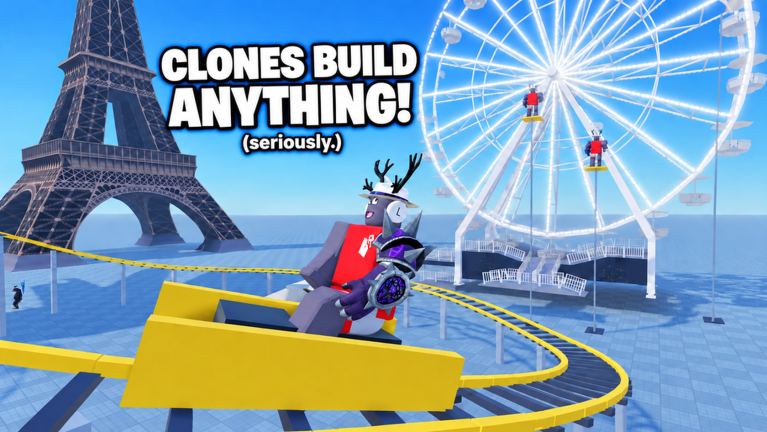
Instead of placing anything yourself, write a prompt describing the structure and select a location. Three clones assigned to the job collect the pieces and put the model together in real time while you walk around and inspect their work.
- Wait for the completion banner
The piece counter starts at '0% – 0/176 pieces' and climbs as parts go in. When the model finishes, a banner appears at the top of the screen naming your creation and marking it complete — that banner is your confirmation that the project is done and ready to use.
Hosting setup: use a private server
The official game page is direct about where to host: "A private server is highly recommended for building large-scale builds/minigames." Community guides explain why the format suits minigames — "Private sessions work well for player-created challenges and minigames because the group can agree on a single objective and build around it without random interruptions" — and they advise you to "invite only the players who are participating in the project or minigame" so fewer competing activities keep the build organized. One community wiki also lists "Minigames — Host playable minigame concepts for your group" among what a private-server session is used for, noting the developer recommends it for large-scale builds and minigames.
Documented playable build categories
Checklist
- Minigame spaces and obstacle courses
Listed among the structures clones can assemble, in a guide citing gameplay footage (shown at 00:43 in a gameplay video).
- Arenas, obstacle courses, and custom minigames
Experienced players can combine multiple building concepts into these, while beginners practice with simple structures first.
- Playable minigame concepts
Build ideas range from simple starter creations to larger builds and playable minigame concepts — minigames are categorized as 'Playable concepts to set up inside the sandbox.'
- Example project lists
Starter houses, towers, bridges, arenas, and minigames appear in example build-project lists.
Testing a finished build for minigame use
First session flow
Once the clones finish enough of the project, walk through the result and test how it functions.
See the build as a playable space, not just a structure.
Check routes, obstacles, boundaries, and any areas where players can become stuck.
Find layout problems before other players hit them.
Walk the build's full length and check the size, entrances, platforms, and connections.
Confirm the finished layout end to end.
Treat early attempts as experiments, then increase complexity gradually toward larger buildings, arenas, and custom minigame spaces rather than changing size, detail, and type all at once.
Scale up without overhauling everything at once.
Observed playable builds — and their limits
Two gameplay videos show finished clone builds actually being used as playable activities, with real interaction limits. A prompted giant plane build became flyable — "Oh, we can fly the plane. Let's fly" — but the player ran into hard limits: "Let's crash it. Is it crashable? Please say yes. No, it's not crashable," and, earlier, when the plane sat too high to reach, "I don't know how to climb onto this plane. Like I guess not." A prompted obby build produced a small, unusual layout the player described as a "troll obby" ("I said an obby, not a troll obby. Where do I go now?"), yet it was traversable and nearly completable: "That's how small the obby is," "I'm about to beat it," "I almost completed it."
These are single-session observations of builds the clones interpreted from prompts, not documented universal mechanics. Clone interpretation of prompts is unpredictable — gameplay footage has even shown prompts apparently being rejected, and the rules for which prompts the game accepts are not documented.
What is not documented
- What the Minigames HUD control does when selected — only its presence among the HUD controls is documented.
- Minigame-specific rewards, scoring, or badges: the documented badges are tied to completing builds and playtime, not to playing or hosting minigames.
- A fixed catalogue of supported minigame formats: the documented categories are minigame spaces, obstacle courses, arenas, and custom minigames.
The documented path from prompt to playable minigame is straightforward: open a private server for large-scale projects, prompt your clones, confirm the completion banner, then walk and test the result before inviting your group in.
Related Guides
Build Prompts: Entering a Build Idea
Write build ideas the crew can act on: menu steps, wording tips, and the observed input limits before you hit Build.
Finish a Build: Knowing When It Is Done
Know exactly when a project counts as done, and confirm the Finished a build! milestone through your Roblox badge.
Speed Control: Speed and Noclip Tools
Move around big builds faster with the Speed and Noclip HUD tools, plus camera tips for inspecting large constructions.