
Clone Builders Wiki
Clone Builders is an experimental Roblox sandbox where NPC clones turn your build idea into a structure by placing, resizing, moving, and assembling parts. Plan a project, assign a crew, watch the build progress, then use the sandbox tools to refine or save creations.
Game Updates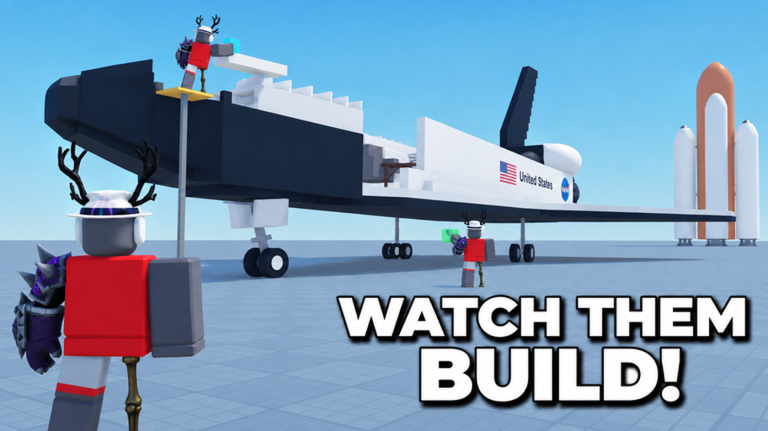
Your First Build, Start to Finish
Give the clones one clear idea, place the project, and watch it come together piece by piece.
Open the build menu and type one clear build idea, such as a house, tower, or logo.
Give the clones a single subject they can interpret reliably.
Choose a Location: Choose spot, At my feet, or Random.
Set where the structure will rise before any part is placed.
Set how many clones work on the job — the default is 3 — and hit Build.
Send your crew to collect pieces and assemble the model.
Watch the Crew window's BUILDING statuses and live piece counter until the finished creation stands in the world.
Know exactly when the job is done.
Explore the Wiki
Seven sections cover the game from your first build to codes, updates, and long-term goals.
Building
Run a full build: enter the idea, place it, and reach a finished structure.
Clones
Manage the crew: assign clones, grow capacity, and read their status.
Tools
Use Saves, Tools/Edit, Minigames, and the Speed and Noclip controls.
Boosts
Activate Work Faster! tiers, the group boost, and invite walkspeed.
Progression
Earn Clone Coins and work toward the confirmed badges.
Codes
Check currently usable codes and what to try when one is rejected.
Update
Follow confirmed changes in one timeline, newest first.
What is Clone Builders?
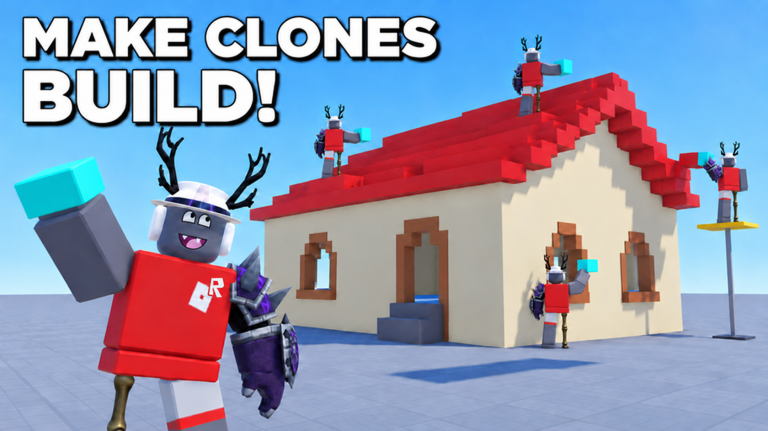
Clone Builders is a Simulation sandbox by Synoptic Interactive, released on September 14, 2026. Players describe what they want built, choose where it should go, assign clones, and watch a structured construction system assemble the result piece by piece.
The sandbox includes crew management, queued builds, speed options, editing and save controls, minigame-oriented building, and the Clone Coins currency. The developer explicitly states that the build system does not use AI.
Explore All GuidesDeveloper
Synoptic Interactive
Platform
Roblox
Genre
Simulation — Sandbox
Released
Sep 14, 2026
Build Actions
Place, resize, move, assemble
Placement Options
Choose spot, at my feet, random
Crew Flow
Assign, track, queue, unassign
Max Players
15
Latest Guides
How the Building System Works
The four part operations your clones perform — and why no AI is involved.
Place
Clones fetch parts and add them one by one until the structure is done.
Resize
Parts are resized when a piece is too large, small, thick, or narrow for the build.
Move
Clones position and move parts as the structure takes shape.
Assemble
Individual parts combine into sections, then into the finished creation — officially stated as a structured system, not AI generation.
Build Prompts That Work
What to type, what to avoid, and how wording changes what your clones build.
One clear subject
A single recognizable object or character builds more reliably than a scene mashing several ideas together.
Size words scale results
Words like 'massive' can make the project far bigger than expected — test them once the basics work.
Reword and retry
Misspelled or rambling prompts were refused in recorded play until shortened; there is no published word list.
Results can surprise you
The clones interpret your idea rather than executing it literally, so word choice influences the build without guaranteeing it.
Every Speed Boost
The free group boost, friend-invite walkspeed, and the Work Faster! speed tiers.
- Boost
- Group boost
- Effect
- +10% clone work speed while you remain in the group
- How to get it
- Join the Synoptic Interactive group
- Boost
- Friend invite
- Effect
- 5 minutes of walkspeed, once per friend per day
- How to get it
- Invite a friend who then joins the game
- Boost
- Work Faster! tiers
- Effect
- 2x-5x build speed over the 1x default
- How to get it
- Unlock through the Work Faster! option
| Boost | Effect | How to get it |
|---|---|---|
| Group boost | +10% clone work speed while you remain in the group | Join the Synoptic Interactive group |
| Friend invite | 5 minutes of walkspeed, once per friend per day | Invite a friend who then joins the game |
| Work Faster! tiers | 2x-5x build speed over the 1x default | Unlock through the Work Faster! option |
Reading Build Progress
Per-clone status lines, the percentage and piece counter, and the banner that says you're done.
- What you see
- CLONE 1: BUILDING
- What it means
- Per-clone status lines in the Crew management window show each active worker on the job.
- What you see
- Percentage + piece counter
- What it means
- Starts at 0% – 0/176 pieces and climbs as parts go in; the total varies per build.
- What you see
- 'complete!' banner
- What it means
- A banner at the top of the screen naming your creation confirms the build is finished.
| What you see | What it means |
|---|---|
| CLONE 1: BUILDING | Per-clone status lines in the Crew management window show each active worker on the job. |
| Percentage + piece counter | Starts at 0% – 0/176 pieces and climbs as parts go in; the total varies per build. |
| 'complete!' banner | A banner at the top of the screen naming your creation confirms the build is finished. |
Where to Place a Build
The three Location options and how to pick ground the clones can actually work with.
Choose spot
Place the build manually at a point you select.
At my feet
Drops the build right where you are standing.
Random
The game picks an open nearby area for you.
Pick open ground
Avoid tight corners, walls, and other builds so the clones have room to move and assemble.
Confirmed Badges
The three badge milestones the game tracks today and what each one counts.
- Badge
- Finished a build!
- What it tracks
- One project carried from prompt to a completed build
- Badge
- 1 Hour Playtime!
- What it tracks
- One total hour spent in the game
- Badge
- Finished 10 Builds!
- What it tracks
- Ten entire builds completed by your clones
| Badge | What it tracks |
|---|---|
| Finished a build! | One project carried from prompt to a completed build |
| 1 Hour Playtime! | One total hour spent in the game |
| Finished 10 Builds! | Ten entire builds completed by your clones |
Turn Builds Into Minigames
Prompt a playable structure, host it on a private server, and test it before inviting your group.
Build it with a prompt
Minigames aren't a separate mode — prompt your clones to assemble the playable structure.
Use a private server
The official page recommends a private server for large-scale builds and minigames.
Wait for the completion banner
The banner naming your creation is the confirmation that the build is ready to use.
Test the result
Walk the routes, obstacles, and boundaries before opening it to your group.
Frequently Asked Questions
Quick answers about where codes, game changes, and guide sections live.
Ready to Build with Your Clones?
Learn the build workflow, crew controls, boosts, saves, minigames, and progression systems before starting your next project.